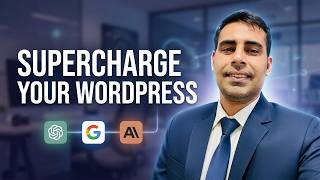
WordPress + AI: How to Connect ChatGPT, Gemini & Claude to WordPress (2026)
リアクション
2026年08月15日
Learn to set up WordPress AI infrastructure to connect ChatGPT, Gemini, or Claude directly to your website. See how the new API works.
WordPress AI integration is becoming standard, and this walkthrough explains how to utilize the new WordPress connector API to bridge your site with major language models. Whether you manage a blog or a business site, understanding how to link these services allows for automated content workflows and smarter site management using native tools.
I will guide you through the technical setup required to get your chosen AI provider active within your dashboard. You will learn the specific configuration steps to ensure your WordPress AI setup communicates correctly with external models like Claude or Gemini without needing complex custom code.
Subscribe for weekly WordPress technical breakdowns, and comment below which AI model you plan to integrate into your site first.
00:00 WordPress + AI — What's New?
00:40 What are WordPress AI Connectors?
02:00 How to connect OpenAI / ChatGPT to WordPress
04:00 How to connect Google Gemini to WordPress
06:00 How to connect Claude to WordPress
08:00 Using AI inside WordPress
10:00 Generate WordPress content with AI
12:00 AI image and alt text generation
14:00 How WordPress AI Connectors work
16:00 WordPress AI Client explained
18:00 WordPress Abilities API & MCP
21:00 Can AI control WordPress?
23:00 API keys and security
25:00 The future of AI-powered WordPress
💡 What are WordPress AI Connectors?
WordPress is moving toward a standardized way for AI-powered features and plugins to connect with AI providers such as OpenAI, Google, and Anthropic. Instead of every plugin creating its own separate AI connection, the new infrastructure provides a more centralized approach to connecting AI services with WordPress.
I'll also explain the important difference between simply connecting an AI provider to WordPress and actually giving AI the ability to work with WordPress.
For professional Website Design or Digital Services? feel free to email us (details below).
🔧 Recommended Tools & Services
These are tools I personally use and recommend to help you build and grow your website:
✅ Hostinger Hosting – Affordable & reliable for all levels
🔗 https://hostinger.sjv.io/jr60Ye
✅ Elementor Pro – Advanced WordPress page builder
🔗 https://be.elementor.com/visit/?bta=221446&brand=elementor
🎥 Popular playlists on My Channel
✅Woodmart theme tutorials
https://www.youtube.com/playlist?list=PLNrSgPb1HYoWWbDemh2GBENiH0C4auyLx
✅Wordpress Masterclass
https://www.youtube.com/playlist?list=PLNrSgPb1HYoUkMVpho3sjfmddP5b54qCs
✅Elementor Tutorials
https://www.youtube.com/playlist?list=PLNrSgPb1HYoVnGiMB58u0YYfG5_7n-gRF
✅Wordpress SEO
https://www.youtube.com/playlist?list=PLNrSgPb1HYoXT5p57CCy6dmKLrrOnTGxq
✅Woocommerce Tutorials
https://www.youtube.com/playlist?list=PLNrSgPb1HYoXV95U3GDd33PU9q_gBrU1m
🙌 Stay Connected & Support My Work
🎯 Join Me on Patreon
https://www.patreon.com/preet_tech_ideas
🔗 All My Links & Bio
https://beacons.ai/preettechideas
🟡 Disclaimer
This content is for educational and informational purposes only. While I strive for accuracy, viewers should always do their own research before making decisions. This video does not promote or encourage misuse of any tools or techniques.
🔗 Affiliate Disclosure
Some of the links below are affiliate links, which means I may earn a small commission if you make a purchase through them — at no extra cost to you. This supports the channel and helps create more tutorials. 🙏
🌍 For collaborations, services, or inquiries:
📩 preetkalirona@gmail.com
WordPress AI integration is becoming standard, and this walkthrough explains how to utilize the new WordPress connector API to bridge your site with major language models. Whether you manage a blog or a business site, understanding how to link these services allows for automated content workflows and smarter site management using native tools.
I will guide you through the technical setup required to get your chosen AI provider active within your dashboard. You will learn the specific configuration steps to ensure your WordPress AI setup communicates correctly with external models like Claude or Gemini without needing complex custom code.
Subscribe for weekly WordPress technical breakdowns, and comment below which AI model you plan to integrate into your site first.
00:00 WordPress + AI — What's New?
00:40 What are WordPress AI Connectors?
02:00 How to connect OpenAI / ChatGPT to WordPress
04:00 How to connect Google Gemini to WordPress
06:00 How to connect Claude to WordPress
08:00 Using AI inside WordPress
10:00 Generate WordPress content with AI
12:00 AI image and alt text generation
14:00 How WordPress AI Connectors work
16:00 WordPress AI Client explained
18:00 WordPress Abilities API & MCP
21:00 Can AI control WordPress?
23:00 API keys and security
25:00 The future of AI-powered WordPress
💡 What are WordPress AI Connectors?
WordPress is moving toward a standardized way for AI-powered features and plugins to connect with AI providers such as OpenAI, Google, and Anthropic. Instead of every plugin creating its own separate AI connection, the new infrastructure provides a more centralized approach to connecting AI services with WordPress.
I'll also explain the important difference between simply connecting an AI provider to WordPress and actually giving AI the ability to work with WordPress.
For professional Website Design or Digital Services? feel free to email us (details below).
🔧 Recommended Tools & Services
These are tools I personally use and recommend to help you build and grow your website:
✅ Hostinger Hosting – Affordable & reliable for all levels
🔗 https://hostinger.sjv.io/jr60Ye
✅ Elementor Pro – Advanced WordPress page builder
🔗 https://be.elementor.com/visit/?bta=221446&brand=elementor
🎥 Popular playlists on My Channel
✅Woodmart theme tutorials
https://www.youtube.com/playlist?list=PLNrSgPb1HYoWWbDemh2GBENiH0C4auyLx
✅Wordpress Masterclass
https://www.youtube.com/playlist?list=PLNrSgPb1HYoUkMVpho3sjfmddP5b54qCs
✅Elementor Tutorials
https://www.youtube.com/playlist?list=PLNrSgPb1HYoVnGiMB58u0YYfG5_7n-gRF
✅Wordpress SEO
https://www.youtube.com/playlist?list=PLNrSgPb1HYoXT5p57CCy6dmKLrrOnTGxq
✅Woocommerce Tutorials
https://www.youtube.com/playlist?list=PLNrSgPb1HYoXV95U3GDd33PU9q_gBrU1m
🙌 Stay Connected & Support My Work
🎯 Join Me on Patreon
https://www.patreon.com/preet_tech_ideas
🔗 All My Links & Bio
https://beacons.ai/preettechideas
🟡 Disclaimer
This content is for educational and informational purposes only. While I strive for accuracy, viewers should always do their own research before making decisions. This video does not promote or encourage misuse of any tools or techniques.
🔗 Affiliate Disclosure
Some of the links below are affiliate links, which means I may earn a small commission if you make a purchase through them — at no extra cost to you. This supports the channel and helps create more tutorials. 🙏
🌍 For collaborations, services, or inquiries:
📩 preetkalirona@gmail.com